Editing the breadcrumb navigation
- Under the Content tab, click Pages.
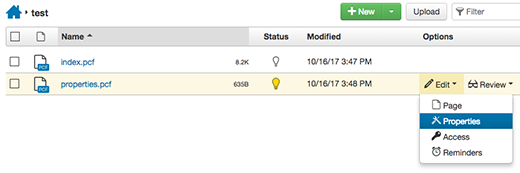
- Navigate to the breadcrumb file (properties.pcf) you want to edit.
- Check out the file. See Checking pages in and out for more information. The lightbulb should be yellow.
- Click the three More Action dots and under the Edit option and click Properties.
- In the Breadcrumb box, type the new breadcrumb name and then click Save in the upper right.
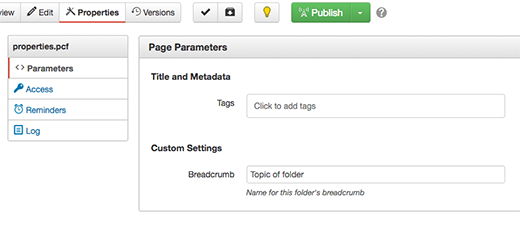
- Publish the edited file.