Exploring the Microsoft Groups landing page
The Groups landing page provides a central place to find and work with your Microsoft 365 Groups and connected resources, including email, files and events.
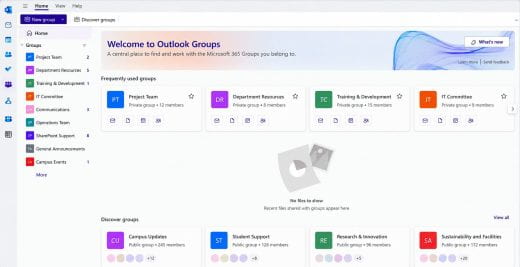
From the Groups page, you can:
- Browse the groups you belong to.
- Search for a group by name.
- Filter your groups to narrow the list and find the group you need.
- Pin frequently used groups for easier access.
- Open a group to access its email, files, events and other available resources.
If you belong to several groups, filtering and pinning can make the groups you use most often easier to find.
Get Help
If you have any questions about Groups, post your question to the Microsoft Teams’ KSU Teams Support team.
Related Stories

I know that email is here somewhere: Let Outlook search do the heavy lifting
Are you struggling to find an email and spending far too much time scrolling through your inbox? Before you keep searching the hard way, try letting Outlook...

Small Excel feature, big time saver
Have you ever sorted a spreadsheet only to discover there are five different ways people entered the same information? “Faculty & Staff,” “Faculty and...