Sample Tuition Bill
Statement of Account Sample Bill
Students may access their e-bills in KSIS and provide access for designees to receive notifications as well. All users can log in from any location with internet access to view and print current and previous statements. For a more detailed explanation of the Statement of Account please follow the example below.
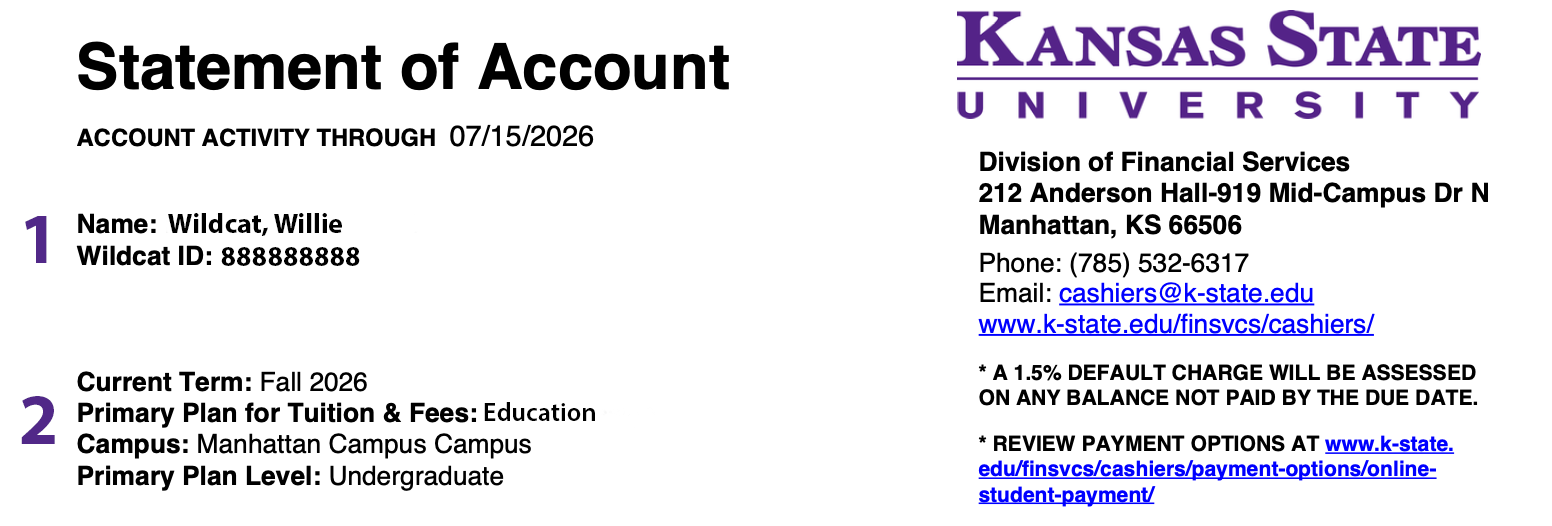
- Name and ID Number states the student's name and the WID number assigned to them and found on their student ID card. This ID is not the same as eID used for KSIS and web applications.
- Current Term, Primary Plan for Tuition & Fees, Campus, and Primary Plan Level are important components that determine tuition and fee charges. Students enrolled in a campus plan pay campus rates for all classes they enroll in regardless of modality. Similarly, students enrolled in online programs pay the online rate for courses delivered online and on-campus. Students who require a change in their plan must contact their college dean’s office.
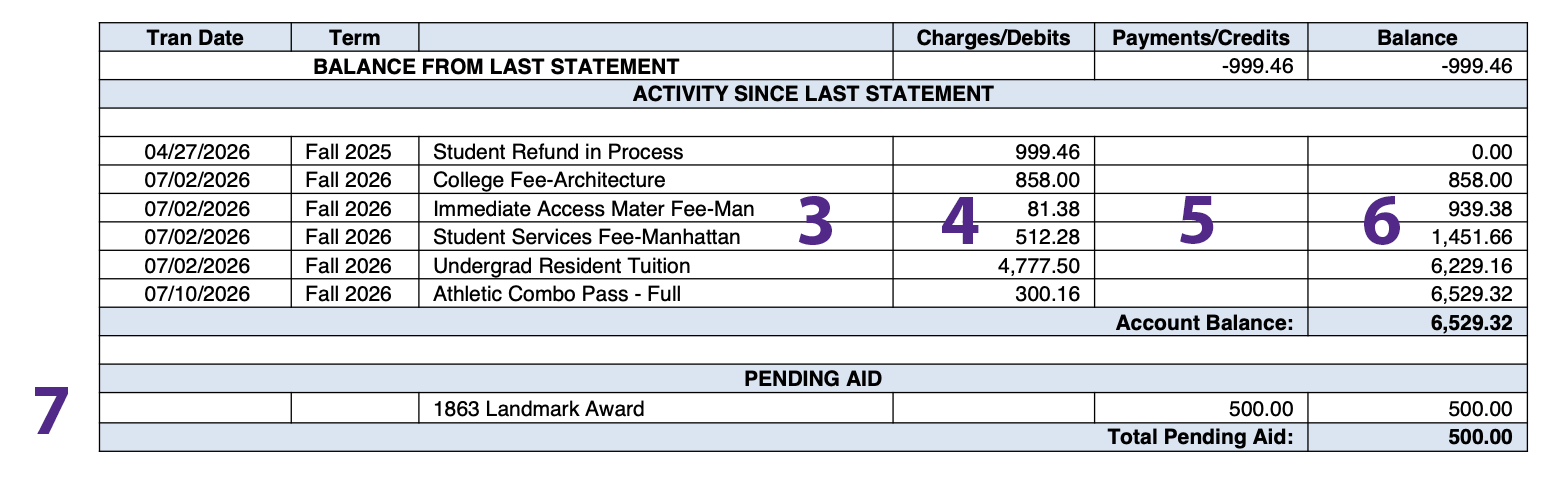
- This section provides an abbreviated description of each charge. Example: Man – Manhattan Campus, Sal – Salina Campus, GR – Graduate Student, Non Res – Non-resident of Kansas, VM – Vet Med, Engg – Engineering, Bus Adm – Business Administration (these fees are charges by departments for any class that falls under their department regardless of a student’s major. Several departments have specialized fees beyond tuition and Campus Privilege fees.) Click here for a complete description of tuition and fees.
- The Charges/Debits column displays the amount of the charge associated with the description in the row to its left. A minus sign will appear in front of reversed charges, reducing the balance due.
- The Payments/Credits column shows any payments or credits made to the account. A minus sign will NOT appear in front of a reversed payment or credit, increasing the balance due.
- Balance column is a chronological running balance affected by each transaction.
- Your bill displays Pending Aid at the beginning of each semester only. Anticipated financial aid will not be applied to the balance until 10 days before classes start. Aid awarded to the student will arrive in their account by the due date displayed on their bill. Please note, a change in credit hours may alter the amount of aid credited.
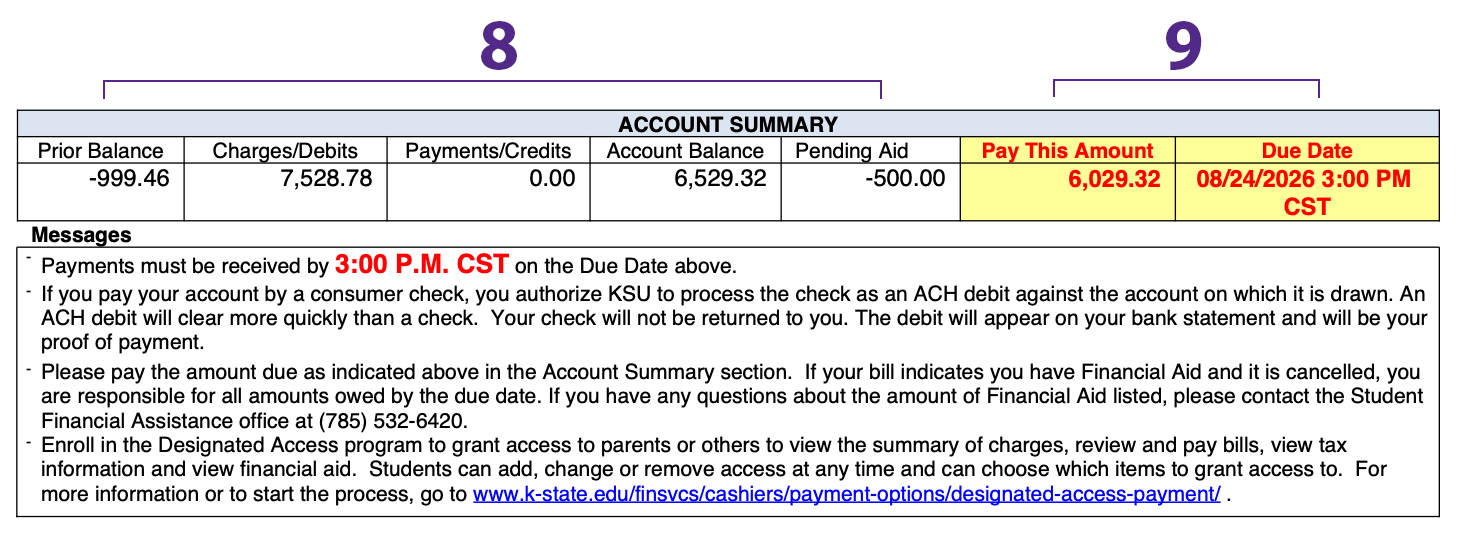
- Account Summary is the total of all the above columns, including prior balance, charges/debits, payments/credits, account balance and pending aid.
- Pay This Amount displays the total balance due by the Due Date. Late payment results in a 1.5% late fee and a hold placed on the student account.
First payments are due on the first day of classes, all other payments are due on the 15th of the month or the following business day if the 15th falls on a weekend or holiday. Bills are available online in KSIS a few days following the bill date.