Skip to the content

Kansas State University

IT Help Desk
Kansas State University
214 Hale Library
Manhattan, KS 66506
785-532-7722
800-865-6143 (toll-free)
helpdesk@k-state.edu
Facebook Twitter

Frequently Asked Questions

Categories

K-State eID and password
I forgot my password to my e-mail; can you give that to me?
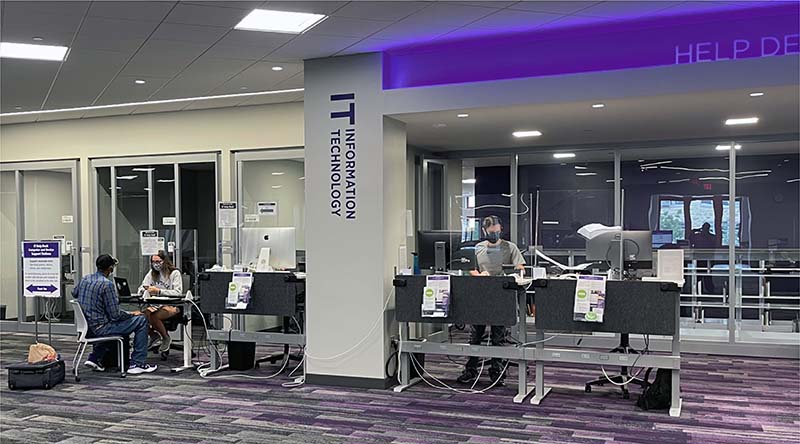
We can give you your password if you come into 214 Hale Library with a Photo ID or call us at 785-532-7722. For security reasons, we cannot give passwords out through e-mail.
What do I do if I lose or forget my iSIS password?
This is the same as your eID password. You can come into the IT Help Desk with a picture ID or you can call the IT Help Desk at 785-532-7722.
What do I do if I lose or forget my K-State Online password?
This is the same as your eID password. You can come into the IT Help Desk with a picture ID or you can call the IT Help Desk at 785-532-7722.
I can't remember my dial-in password; can you give it to me?
This is the same as your eID password. You can come into the IT Help Desk with a picture ID or you can call the IT Help Desk at 785-532-7722.
How do I change my eID password?
If you know your previous password, can go to eid.k-state.edu, sign in and click change next to Password settings. If you do not know your password, then you need to come to 214 Hale Library with a Photo ID or call the IT Help Desk at 785-532-7722.
If I miss a password deadline, how do I change my password?
You can go get a new password or come into 214 Hale Library with a Photo ID or call the IT Help Desk at 785-532-7722.
Can I use my eID password immediately after I receive a new one or change my eID password?
Yes, it should take no more than a few seconds to update.
Can I change my eID?
You can change your eID for $50.00.
E-mail
How do I access my e-mail?
You can access your e-mail using WebMail. For other options, see the list of supported e-mail clients on the K-State e-mail page.
I want to configure my e-mail client (Outlook Express, Outlook, Pegasus, Thunderbird) for my K-State e-mail, how do I do that?
When you set up you mail you can use the following servers:
Incoming: pop.ksu.edu or imap.ksu.edu (if you have configured your account)
Outgoing: smtp.ksu.edu (if K-State is your Internet Service Provider, if not you will have to contact your provider for their smtp server).
For more information see the e-mail clients documentation on the K-State e-mail page.
Where can I go to have my e-mail forwarded to another account (Hotmail, AOL, etc.)?
If you know your password, you can sign in to your eProfile, under E-mail click change next to your forwarding status. If you do not know your eID or eID password then you need to come into 214 Hale Library with a Photo ID or call the IT Help Desk at 785-532-7722.
Antivirus software
Where can I download K-State antivirus software?
You can go to antivirus.k-state.edu.
When I try to download antivirus software off-campus it asks me for a user name and password, what is it?
It is your K-State eID and password.
K-State software (CatPack)
Can I download the software that is on the CatPack?
All of the software minus the dial-in setup is available for download on the IT Help Desk download site.
Where can I get the CatPack?
You can get the CatPack at the IT Help Desk at 214 Hale Library, at Telecommunications at 109 East Stadium, or the K-State Student Union Computer Store for free.
Does the university offer additional software for purchase (Windows, Office, Mac OS, etc.)?
The majority of software, besides the CatPack, is not offered by the university. If you would like to purchase software on campus you can go to the K-State Student Union Computer Store. If you are faculty or staff you may consult your department about software they may provide.