Frequently asked questions (FAQs)
For students and advisors
What are the requirements for the K-State 8 General Education Program?
How can I tell if I am under the UGE or the K-State 8 general education requirements?
If I decide to switch from UGE to the K-State 8, how do I inform K-State about my decision?
If I am a readmitted student, do I pursue UGE or the K-State 8?
If a class is tagged for two K-State 8 areas, which area will it satisfy?
Where can I get a list of classes that meet K-State 8 requirements?
For faculty and administrators
Where can advisors get help with the K-State 8 in iSIS or in DARS?
Where can I get a list of classes that meet K-State 8 requirements?
For students and advisors
What are the requirements for the K-State 8 General Education Program?
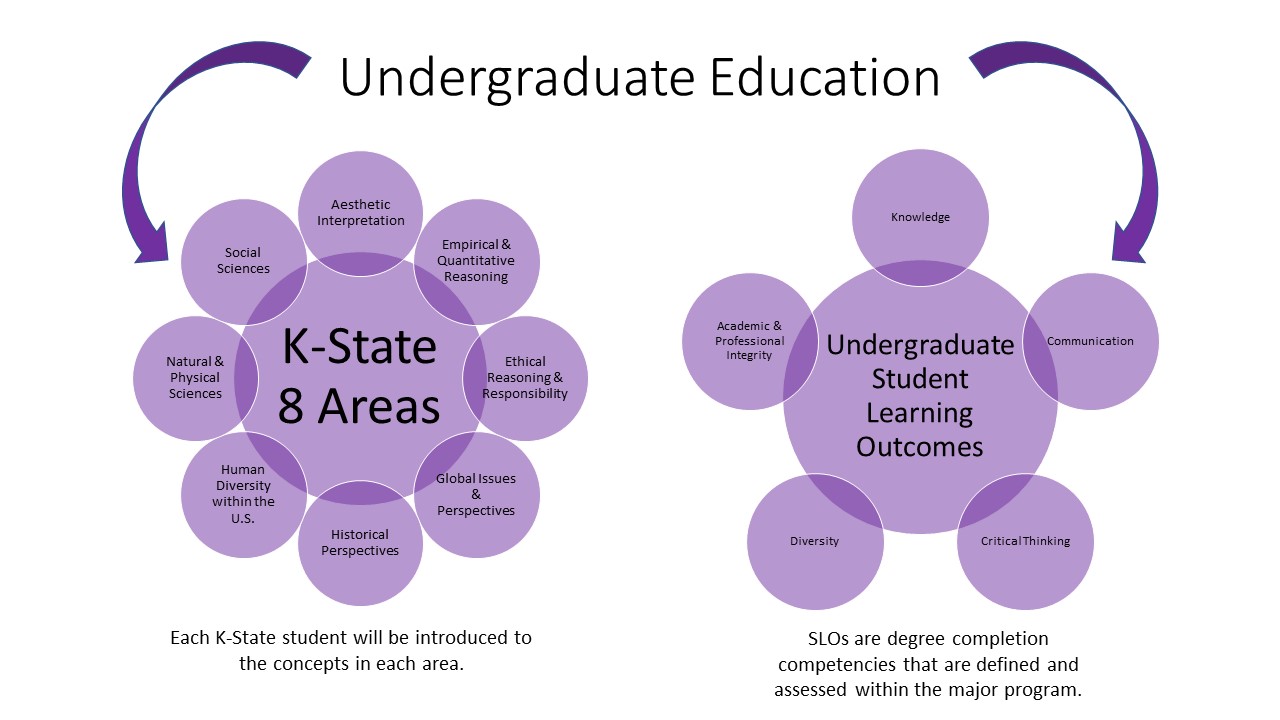
Each student must successfully complete credit-bearing courses or experiences to cover
all of the K-State 8 areas. Some K-State 8 areas may be covered in the student's major.
The intent of the K-State 8 is for students to explore the perspectives of disciplines
that may be quite different from those of their own majors. For that reason, a minimum
of four different course prefixes (e.g., AGEC, MATH, FSHS, HIST) must be represented
in the fulfillment of the K-State 8 requirements.
How can I tell if I am under the UGE or the K-State 8 general education requirements?
All students enrolling for the first time during Summer 2011 or Fall 2011 or later
will be obligated to meet K-State 8 requirements. All students still following the
UGE requirements will have a "notice" in their Student Center labeled University General
Education. This notice will also appear in the Student Services Center main tab and
in the Student Details within the Advisor Center. Additionally, when in the DARS Request
page, there is an indication to the left of the Submit Report button indicating either
UGE or KSTATE8.
If I am currently under UGE requirements, how can I determine if I should remain
with the UGE requirements or switch to the K-State 8?
Students should check with your advisor. Advisors and students can run DARS reports
under both the K-State 8 and UGE requirements and use these to compare the remaining
requirements left unmet.
If I decide to switch from UGE to the K-State 8, how do I inform K-State about my
decision?
You will need to do this through your academic advisor. Students and their advisors
should determine which set of general education requirements will work best for each
student. If it is deemed beneficial for the student to switch to the K-State 8, then
the advisor should remove the UGE service indicator in iSIS.
If I am a readmitted student, do I pursue UGE or the K-State 8?
Students who are readmitted in Summer 2011 and later will be designated as meeting
the K-State 8 by the Office of Admissions. Deans’ offices can make an exception for
the readmitted student who has completed UGE or who would prefer to complete UGE requirements.
If a class is tagged for two K-State 8 areas, which area will it satisfy?
When a course is tagged for two K-State 8 areas, the student may count that course
toward both areas. However, it is strongly recommended that students enroll in a sufficient
variety of courses to offer them a genuine breadth of perspective.
Where can I get a list of classes that meet K-State 8 requirements?
Lists of courses tagged for each of the K-State 8 areas will be made available in
the Course Schedule for each term, beginning with Summer 2011.
- Go to: http://courses.k-state.edu/
- Select the term Course Schedule you want (e.g., Fall 2011)
- Select the K-State course list
- The "Aesthetic Interpretation" course list will be shown first. To find courses in other areas, select the desired K-State 8 area from the drop-down box at the top left.
The Catalog Search or the Courses Filter in the Undergraduate Catalog allows you to search for classes based on the K-State 8 content area. Be sure to
use the entire title of the K-State 8 area when using either of these searches. Also,
the online course schedule will identify which K-State 8 category each course satisfies via the K-State 8 icons.
The list of all courses tagged for the K-State 8 in a given semester can be found
at the Course Lists link on this website.
For faculty and administrators
How do advisors release the UGE notice in iSIS for students who want to move from
UGE to the K-State 8?
See Removing the UGE Flag documentation in iSIS Help.
Where can faculty and advisors get help with the K-State 8 in iSIS or in DARS?
Go to iSIS Help.
It's important to provide these lists so they are always accurate. We will continue
to determine the best and most efficient ways to do that. The list of all courses
tagged for the K-State 8 in a given semester can be found at the Course Lists link
on this website. You can also access the lists from the Undergraduate Catalog. Click on "Courses" in the purple menu at the left of the screen. In the Keyword
box of the Course Filter, type in the entire name for a K-State area — e.g., Aesthetic
Interpretation", then click on Filter. You'll get the list of courses tagged for that
K-State 8 area.
back to top